Helping newcomers navigate German administrative processes
A self-initiated concept, not a government redesign: helping people new to Germany understand and act on official letters.
Role
UX/UI Design
Project type
Self-initiated product concept
Research
Usability Testing
Deliverable
Interactive Prototype
Project constraints
Self-initiated, no government partner
→ Tested whether people understood the letter and their next step, not the accuracy of official guidance.
Figma prototype, not a live service
→ Focused on one scenario: an unfamiliar administrative letter and what to do next.
Research limitations: unmoderated Lyssna tests with 5 and 7 participants, so findings are directional; friction caused by the Figma prototype environment was read separately from the concept. No live business metrics were measured.
The problem
Administrative letters are difficult when you don't know what they mean—or what to do next.
For people who have recently moved to Germany and receive official letters they can’t easily interpret. Moving to a new country means unfamiliar administrative processes, terminology and letters. The challenge wasn’t simply explaining the letter. It was helping a newcomer move from uncertainty to a clear next action. This study covers the concept, the prototype and two rounds of usability testing.
Why I explored this: Having studied, lived and worked in Germany, the UK, Canada and Ireland, I wanted to explore how someone new to a country’s administrative system could turn an official letter into a clear next step.

Usability test · Lyssna · Round 2 · 7 participants
Clarity and confidence ratings stayed near the midpoint
Participants generally reached the intended end state, but testing exposed friction around prototype interaction and task context.
01
3.14 / 5
Ease of figuring out what to do next
Rated just above the middle of the 5-point scale.
02
3.00 / 5
Clarity of the information
Clarity of the information remained an area of friction.
03
3.29 / 5
Confidence in understanding what to do next
Confidence in the next step also remained an area of friction.
The solution
Turn uncertainty into a guided decision path.
Understand the situation → clarify what matters → confirm the interpretation → finish with a personalized plan.

Key decisions
Four decisions that shaped the flow
Understand the situation
The same letter means different things in different situations, so context comes before interpretation.
Make the AI interpretation explicit
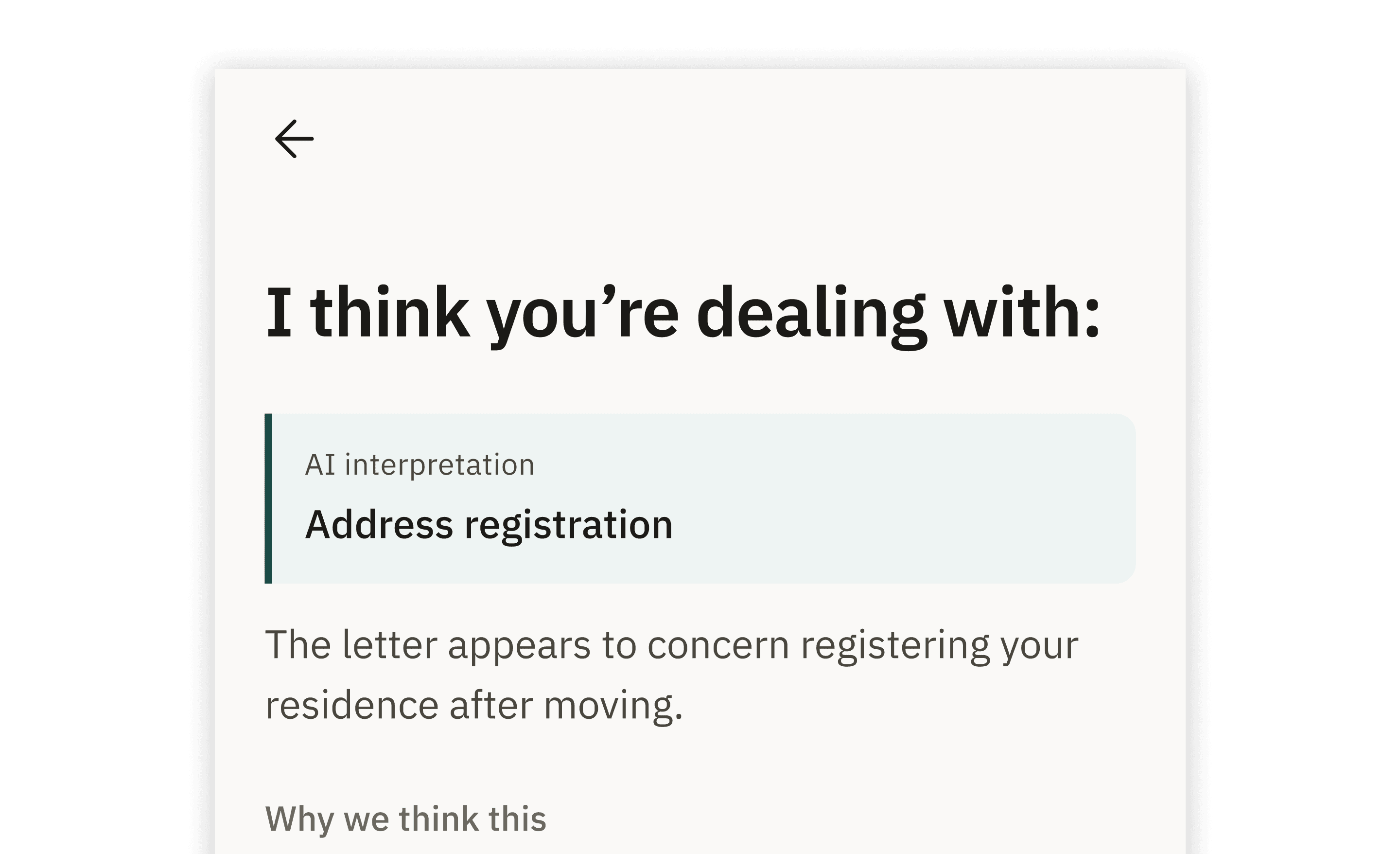
An interpretation the user cannot see is one they cannot correct, so it gets its own step.
Adapt the questions to the user's context
Asking everyone the same questions buries people in detail that does not apply, so each answer shapes the next question.
Finish with an actionable plan
Understanding a letter is not the same as knowing what to do, so the flow ends with an actionable plan.
User flow
From an unfamiliar letter to a step-by-step plan
The user describes a letter they received, checks the AI’s interpretation, answers only the follow-up questions that matter and ends with a plan. Screens: Describe the situation → Check the interpretation → Answer follow-ups → Confirm context → Your plan.

Testing → iteration
Task success rose from 40% to 86%
Some friction came from the prototype environment rather than the intended interaction model.
Round 1 finding
Only 2 of 5 participants reached the plan. Friction clustered on the first two screens, where some controls looked interactive but did not respond — one participant clicked the description field 16 times.
Design response
For the next iteration, I clarified interaction cues and made key actions more predictable: tappable text was underlined, primary actions were moved to the bottom of each screen, and the description field responded with an example instead of appearing inactive.
Round 2 outcome
In Round 2, task success rose from 40% to 86%, while observed misclicks fell from 67% to 41%.
Task completion improved, while perceived ease remained weaker in Round 2.
Round 1
Usability test · Lyssna · Round 1 · 5 participants
40%
Task success
67%
Observed misclicks
4.00 / 5
Ease of figuring out what to do next
Round 2
Usability test · Lyssna · Round 2 · 7 participants
86%
Task success
41%
Observed misclicks
3.14 / 5
Ease of figuring out what to do next
Two rounds of unmoderated usability testing in Lyssna · Task: from an unfamiliar letter to a clear next step. Small samples, so these are observations rather than statistically reliable results.
Final experience
From unfamiliar letter → clear next step.

Reflection
What I learned
The hardest part isn't explaining the information; it's defining the user's next goal.
Context should shape what the system asks next.
AI explanations need to remain understandable and challengeable.
Potential business impact
↓ Avoidable support demand
↑ Completion potential
↓ Time from uncertainty to action
Potential outcomes based on the concept and prototype; no live business metrics were measured.
